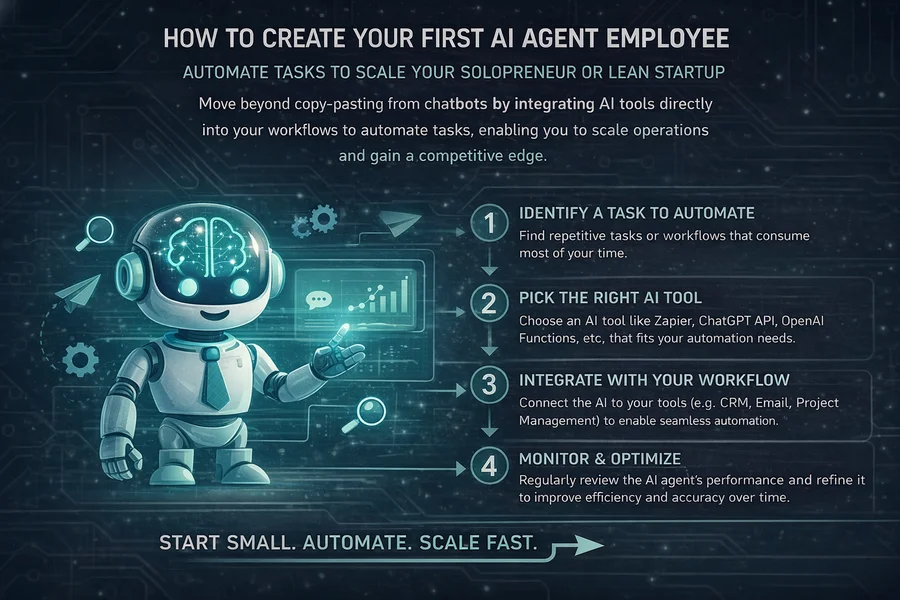
If you are an early-stage founder or a solopreneur in 2026, you are likely already using AI every day. You probably have a tab open with ChatGPT, Claude, or Gemini. You use them to check your spelling, write social media posts, or help you brainstorm ideas. But here is the hard truth: if you are still copy-pasting text from a browser window into your business, you are already falling behind.
Most people are stuck in what we call the "Chatbot Trap." They treat AI like a library—you go there, you look something up, and you leave. In the Lean Startup world, we think differently. We don't want a library; we want an engine. We want to move from "using AI" to "building an agent."
In the famous Build-Measure-Learn loop, the first step is Build. Usually, people think this means building their final product for customers. But in the age of AI, the first thing you should build is your own internal "digital workforce." This post is about how to build a system that doesn’t just talk to you, but actually works for you.
This is where local-first agents like Moltbot (a.k.a. Clawdbot) come in. Instead of a chatbot that lives in a fenced-off website, you are building a digital employee that lives on your hardware and has the power to actually do things.
The Build Philosophy: System vs. Tool
In a lean startup, your most valuable resource is time. Every minute you spend doing a repetitive task is a minute you aren't talking to customers, searching for a product-market fit, or improving your software.
When you use a standard AI tool, it’s just a tool—like a hammer. You have to pick it up, use it, and put it down. You have to provide the energy and the direction for every single swing. An agent, however, is a system. It’s like having a robot that knows how to use the hammer so you don’t have to.
To "Build" an agent means giving it three core parts that work together:
- A Brain: The AI model (the LLM) that thinks and makes decisions.
- A Body: The hardware or server where the code actually runs.
- A Voice: The interface (like Slack or Telegram) where it talks to you and takes your commands.
When these three things come together, you have moved beyond the "Chatbot Trap." You have built an infrastructure that can scale as your startup grows. You are no longer an "AI user"; you are an "AI manager."
The "Passive Assistant" Problem
Why is the "Chatbot Trap" so dangerous for a lean founder? Because it keeps you in a passive loop.
When you use a web-based chatbot, the AI is "asleep" until you wake it up. It doesn't know what is happening in your business while you aren't looking at that specific tab. It doesn't know if your server crashed, it doesn't know if a high-value customer just emailed you, and it doesn't know if your competitors just launched a new feature.
Building an agent changes this dynamic. An agent is proactive. Because it lives on your own server and has access to your system, it can "watch" your business for you. It can be programmed to alert you when something important happens, or even better, it can take care of small problems before you even know they exist.
In lean terms, this reduces your "Time to Insight." You learn about problems and opportunities faster because you have a system that is always awake.
Choosing Your Agent’s "Brain" (The LLM Selection)
In early 2026, the market for AI "brains" is better than ever. But as a lean founder, you shouldn't just pick the "most famous" one. You need to pick the right brain for the right job to keep your costs low and your speed high. This is what we call "Innovation Accounting" for your tech stack.
- Gemini 2.5/3 Flash: The Speed King
This is currently the best "entry-level" brain for an agent. It is incredibly fast and very cheap. In lean terms, this is your "eyes and ears." It has a massive "context window" (it can "remember" a lot of information at once), which means it can read thousands of lines of code or hundreds of customer emails in a single second. Use this for the tasks that happen 100 times a day, like sorting data or summarizing daily reports. - Claude Opus 4.x / Sonnet 4.x: The Writer and Thinker
If you need your agent to do something complex—like write a legal contract, draft a sensitive email to a partner, or solve a difficult coding bug—this is the brain you plug in. These models have more "nuance." They understand human emotions and complex logic much better than the "Flash" models. They are more expensive, so you use them only when "thinking" is more important than "speed." - Local Models (Llama 4 / Mistral): The Private Vault
If you are building something top-secret or handling sensitive customer data, you might not want to send that information to a big company’s server. You can run these models directly on your own computer (like a Mac Mini). They are "free" to run once you have the hardware, and they are 100% private. This is the ultimate move for a founder who values "Sovereign Intelligence."
4. The Infrastructure: Where the Agent Lives
This is the part most people skip, and it’s where they get into trouble. You might be tempted to just run your agent on your main laptop. Do not do that.
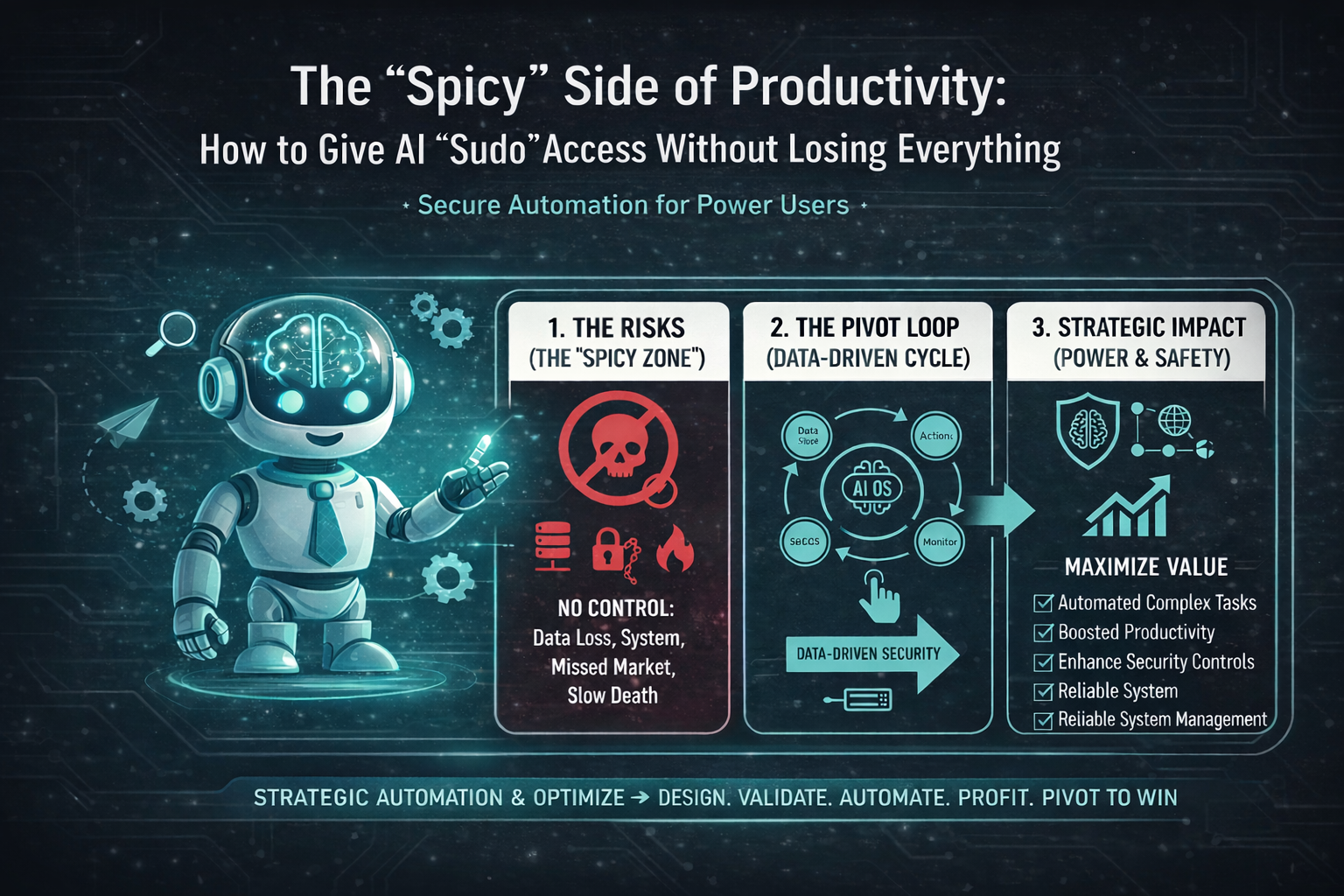
An agent like Moltbot needs "Sudo" access. As we discussed earlier, "Sudo" means the AI can change things on the computer. It can create files, delete folders, and run software. If the AI makes a mistake—which it will—you don't want it to delete your personal family photos or your tax returns.
The Lean Setup: The Sandbox
By building this separate space, you are de-risking your innovation. You are giving the AI the freedom to work 24/7 without risking your personal digital life.
The Interface: Connecting the "Voice"
To keep things "Lean," you don't want to build a fancy website just to talk to your agent. That takes too much time and money. You want to use the tools you already have in your pocket.
Clawdbot is designed to connect to Telegram, Slack, or WhatsApp. This is a massive advantage for solopreneurs.
Imagine you are at the grocery store or the gym. A thought hits you: "I wonder if those new website changes broke the checkout page?" Instead of rushing home to open your laptop, you send a quick Telegram message to your agent. The agent runs a test, checks the logs, and replies: "All clear! Checkout is working, and we actually just had a new sale."
This "Zero Friction" interface allows you to manage your startup without being chained to a desk. It keeps your mind free to think about big-picture strategy while the agent handles the technical checks.
Creating Your First "Minimum Viable Skill" (MVS)
In the Lean Startup, we talk about the MVP (Minimum Viable Product). For an AI agent, we talk about the MVS (Minimum Viable Skill). Don't try to build an agent that does everything on day one. Instead, build one small skill that solves one specific, annoying problem.
Example 1: The "Lead-Gen Butler"
Let's say you have a "Contact Us" form on your website. Right now, you probably get an email, you read it, you realize it’s spam, and you delete it. This wastes 2 minutes of your focus every time it happens.
Example 2: The "Code Sentry"
If you are a technical founder, you probably spend time checking your logs for errors.
Now, your "Build" is done. You have created a system that filters out the noise and only brings you the "Signal." This is the foundation of a lean, AI-driven business.
Safety First: The "Sudo" Guardrails
Because you are building an agent with real power, you have to build in "Safety Rails." This means two things:
- Permissions (Least Privilege): Don't give the bot access to your bank account or your master passwords yet. Start with "Read-Only" access. This means the bot can see things, but it can't change them. Once you trust it, you can slowly give it "Write" access to specific folders.
- The "Thumbs Up" Rule: Configure your agent so that it cannot send an email, post to social media, or delete a file without you clicking a "Confirm" button on your phone. In the beginning, you are the pilot, and the AI is the co-pilot. You always keep your hand on the controls.
The concept of the Minimum Viable Skill (MVS) is a crucial, lean approach to building your first AI agent. It is a highly focused, automated function designed to solve a single, specific, and repetitive problem that is currently wasting your time.
Feature |
The "Chatbot Trap" (Tool) |
The MVS (System) |
|---|---|---|
Focus |
General knowledge/writing assistance |
Specific, operational business task |
Interaction |
Manual copy-paste, wake-up call |
Continuous monitoring, scheduled tasks |
Goal |
Generate text/ideas |
Automate a repetitive process to save time |
The key to a successful MVS is that it has a clear trigger (e.g., a new file appears, an error code is logged) and a clear action (e.g., summarize, delete, or send an alert).
Expanded MVS Examples & Example Prompts
1. The 'Lead-Gen Butler'
Expansion: This agent is a 24/7 filter for your inbound communication. Its MVS is to process and triage messages from a "Contact Us" form, a specific email inbox, or a new signup channel. It ensures a high-value customer inquiry is never lost in spam or delayed, allowing you to focus only on qualified leads.
Component |
Description |
|---|---|
Trigger |
A new email/message arrives in the designated inbox. |
Action |
Classify as Spam, Low-Value, or High-Value Customer Inquiry. Summarize High-Value inquiries and send a push notification. |
LLM Choice |
Gemini Flash (for high-speed reading, filtering, and summarization). |
Example Prompts (You to Agent, via Telegram/Slack):
- Agent, what are the high-value leads from today?
- Send standard intro to the lead from 'Acme Corp' and tag as 'In-Progress'.
- How many spam contacts did you delete this week?
2. The 'Code Sentry'
Expansion: This MVS is for technical founders, acting as an automated Quality Assurance (QA) engineer. It doesn't just look for any error; it hunts for critical, system-breaking errors (like a "500 Error") that indicate an immediate problem. Its speed of reporting reduces your Time to Resolution.
Component |
Description |
|---|---|
Trigger |
A new entry in the server log contains "500 Error" or "Segmentation Fault." |
Action |
Isolate the surrounding 10 lines of code, ask a higher-nuance LLM for a suggested fix, and alert the founder via Slack with the error and the suggestion. |
LLM Choice |
Gemini Flash (for fast log parsing) + Claude Opus (for nuanced code analysis/fix suggestion). |
Example Prompts (You to Agent, via Slack/Terminal):
- Sentry, run a check on the server health metrics right now.
- Did the 'user-auth' module log any warnings in the last 4 hours?
- Implement the suggested fix for error ID 45B-3. Confirm status change.
3. The 'Content Tagger' (New Example)
Expansion: For a solopreneur who manages a blog or a knowledge base, categorizing and tagging new content for SEO and site structure is repetitive and non-creative. This MVS automates CMS (Content Management System) tasks, ensuring consistency and proper indexing without manual effort.
Component |
Description |
|---|---|
Trigger |
A new blog post is saved to a specific \to_publish folder in Google Drive. |
Action |
Read the post, generate 3-5 SEO-friendly tags, suggest a short, engaging description for social media, and rename the file to a standard format (e.g., YYYYMMDD-title-slug). |
LLM Choice |
Claude Sonnet/Opus (for creative, nuanced writing and categorization). |
Example Prompts (You to Agent, via a File Drop or Interface):
- Agent, process the new file 'Draft-Q3-Report.doc' for tags and summary.
- Review the last 10 tags you created. Are any of them duplicates?
- Generate an Instagram caption for the post 'The-Build-Phase'.
4. The 'Expense Auditor' (New Example)
Expansion: This agent handles the tedious work of basic finance administration. Its MVS is turning unstructured receipts or invoices into structured data for your accounting software, eliminating manual data entry errors and saving hours during tax season.
Component |
Description |
|---|---|
Trigger |
A new photo or PDF is dropped into the \Receipts folder on your Mini-PC. |
Action |
Use OCR to read the document, extract the Vendor, Date, Amount, and Category (e.g., Software, Travel, Supplies), and log it in a Google Sheet or CSV file. |
LLM Choice |
Local Model (Llama/Mistral) (for maximum privacy when handling sensitive financial data). |
Example Prompts (You to Agent, via WhatsApp/Interface):
- How many receipts are pending audit for January?
- Summarize my spending in the 'Travel' category for the last quarter.
- Process this image I just sent with the tag 'Urgent'.
As you expand your MVS, you must enforce the security philosophy of the Sandbox setup:
- Permissions (Least Privilege): Start all new MVS with Read-Only access. For example, the 'Expense Auditor' can read the receipt image and write to a spreadsheet, but it cannot delete any of your existing financial records.
- The "Thumbs Up" Rule: Any high-consequence action must require explicit human sign-off. For the 'Code Sentry,' it should suggest the fix, but you must click "Confirm" before it is allowed to actually modify and deploy the code to the server.
By building an agent, you are creating a "Company of One" that has the power of a "Company of Ten." You are keeping your costs near zero while your ability to work increases by 1,000%. You are not just making a tool; you are building the foundation of a modern startup. You are creating a "Minimum Viable Team."
The "Build" phase isn't about perfection. It's about getting a system running that can start generating data. Once the system is running, you can move to the next part of the loop.
Conclusion: Ready for the Next Loop?
You have now built your agent. You’ve picked its brain (Gemini 2.x/3 Flash), given it a place to live (a cheap VPS), and given it its first job (the Lead-Gen Butler or Code Sentry).
You have officially completed the first Build of your loop. You have moved from being a "user" to being a "builder." But how do you know if it's actually working? How do you know if it's saving you money or just costing you tokens?
In the next post, we will move into the MEASURE phase. We will look at "Innovation Accounting" for AI—how to track your "Intervention Rate" and your "Token Burn" to make sure your digital employee is actually earning its keep.
For now, take a deep breath. You’ve just hired your first employee. They don't eat, they don't sleep, and they are ready to help you change the world.
Get to work. Build fast.

No comments yet
Be the first to share your thoughts on this article!